¥1,000
App Store で開く
iPhone / iPad 対応
2.4MB
年齢17+
CobbAngleAppはどんなアプリ?
CobbAngleAppは、脊柱側弯症の診断や治療経過の確認に役立つ医療用ソフトです。
カメラで撮影した画像や保存済みの写真を取り込んで、脊椎の変形度合いを正確に算出できます。四つの地点を指定するだけで角度が計算されるため、複雑な手動での計測を省いて迅速に数値を導き出せます。判定基準に基づき変形の程度を自動で分類する機能や、角度から端椎体を特定するための補助線を描く機能も備わっています。画像の傾きによる誤差を防ぐ仕組みが含まれており、正確な評価をサポートします。
診察室で多くの患者さんを診る整形外科医が、迅速に正確な数値を必要とする場面で便利です。紙の定規や分度器を用意する手間を省けるため、診察の合間にスムーズなデータ入力を行いたい状況で重宝します。
アノアプリによる紹介文です。デベロッパー公式の説明はApp Storeでご確認いただけます。
CobbAngleAppの注目ポイント
医療画像の安全な取り込み
端末のカメラで撮影した画像や保存済みの写真を、安全な状態でアプリ内に取り込めます。診察の際に手元にある資料をスムーズに読み込めるため、スムーズな診断へとつなげられます。
脊柱側弯症の角度算出
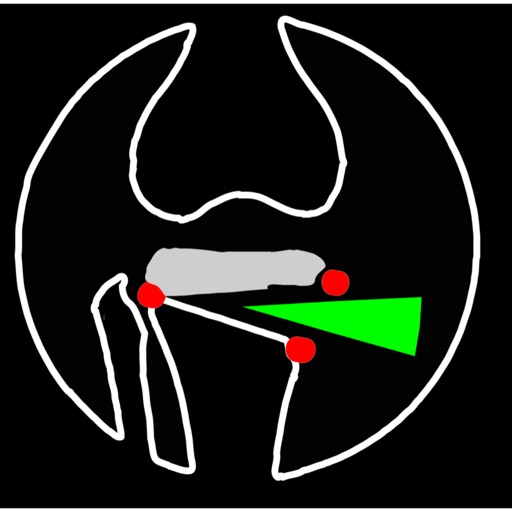
レントゲン写真上の四つの地点を指定すると、脊柱の変形度を示す角度を自動で計算します。手動での複雑な計測を省けるため、正確な数値を短時間で導き出せます。
変形の程度を自動で分類
測定された角度の数値を判定基準に照らし合わせ、変形の度合いを軽度や重度へと自動で分類します。診察の記録を整理する際に、客観的なデータに基づいた判断を支えます。
端椎体を特定する補助線
仙骨を通る垂直な基準線を引く機能があるため、正確な端椎体を特定しやすくなります。判定の精度を高めたい場面で、視覚的なガイドとして役立ちます。
価格履歴
今の価格は1,000円です。過去140日間、価格は変わっていません。
アノアプリが独自に収集した価格履歴をもとに分析しています。
- 買い時判定
- 通常価格
- 記録期間
- 140日
- 最頻価格
- ¥1,000
- 記録上の最安値
- ¥1,000
価格更新履歴
| 日付 | 価格 |
|---|---|
| 2026-06-17 | ¥1,000 |
ランキング推移
メディカル(売上):最終圏内 97位(2026年08月20日) / メディカル(有料):最終圏内 42位(2026年08月22日)
ユーザーレビュー (当サイト投稿)
まだレビューがありません。最初のレビューを書いてみましょう。
アプリ更新履歴
Ver 5.0 2026-07-29
Version 5.0 introduces a redesigned measurement workspace while preserving the established Standard and Extended workflows and the rounded acute Cobb-angle calculation.
• Consent and legal information now appear at each fresh app launch, with direct links to support, the Privacy Policy, and Terms of Use.
• A rebuilt concentric-circle selector lets you position the target and register its fixed center by double-tapping inside the target or using the Point button, reducing unintended movement.
• Step-by-step anatomical guidance identifies the current landmark, explains its location, and previews the point to select next.
• New translucent, compact panels include symbol controls, hide/show buttons, expandable sections, and scrollable menus.
• Image import from Photos, Files, and Camera now uses one orientation-correcting, size-normalizing workflow. Point positions remain consistent while panning, zooming, resizing, and exporting.
• Added fit, zoom, pan, lock, undo, backtrack, point editing, deletion, and one-image-pixel nudge controls.
• Added annotated image sharing, Photos saving where supported, text reports, and CSV point export.
• Added active-session recovery after current-launch consent and optimized layouts for iPhone, iPad, and Apple Vision Pro.
• General stability, privacy, and interface improvements.
• Consent and legal information now appear at each fresh app launch, with direct links to support, the Privacy Policy, and Terms of Use.
• A rebuilt concentric-circle selector lets you position the target and register its fixed center by double-tapping inside the target or using the Point button, reducing unintended movement.
• Step-by-step anatomical guidance identifies the current landmark, explains its location, and previews the point to select next.
• New translucent, compact panels include symbol controls, hide/show buttons, expandable sections, and scrollable menus.
• Image import from Photos, Files, and Camera now uses one orientation-correcting, size-normalizing workflow. Point positions remain consistent while panning, zooming, resizing, and exporting.
• Added fit, zoom, pan, lock, undo, backtrack, point editing, deletion, and one-image-pixel nudge controls.
• Added annotated image sharing, Photos saving where supported, text reports, and CSV point export.
• Added active-session recovery after current-launch consent and optimized layouts for iPhone, iPad, and Apple Vision Pro.
• General stability, privacy, and interface improvements.
Ver 4.5 2026-05-01
update the ui window and new technique of cross-hairs for point selection of interest